TV setup for Airbnb: why I stopped recommending guests log in to their Netflix and what I use instead
Hoststock Team
22 June 2026
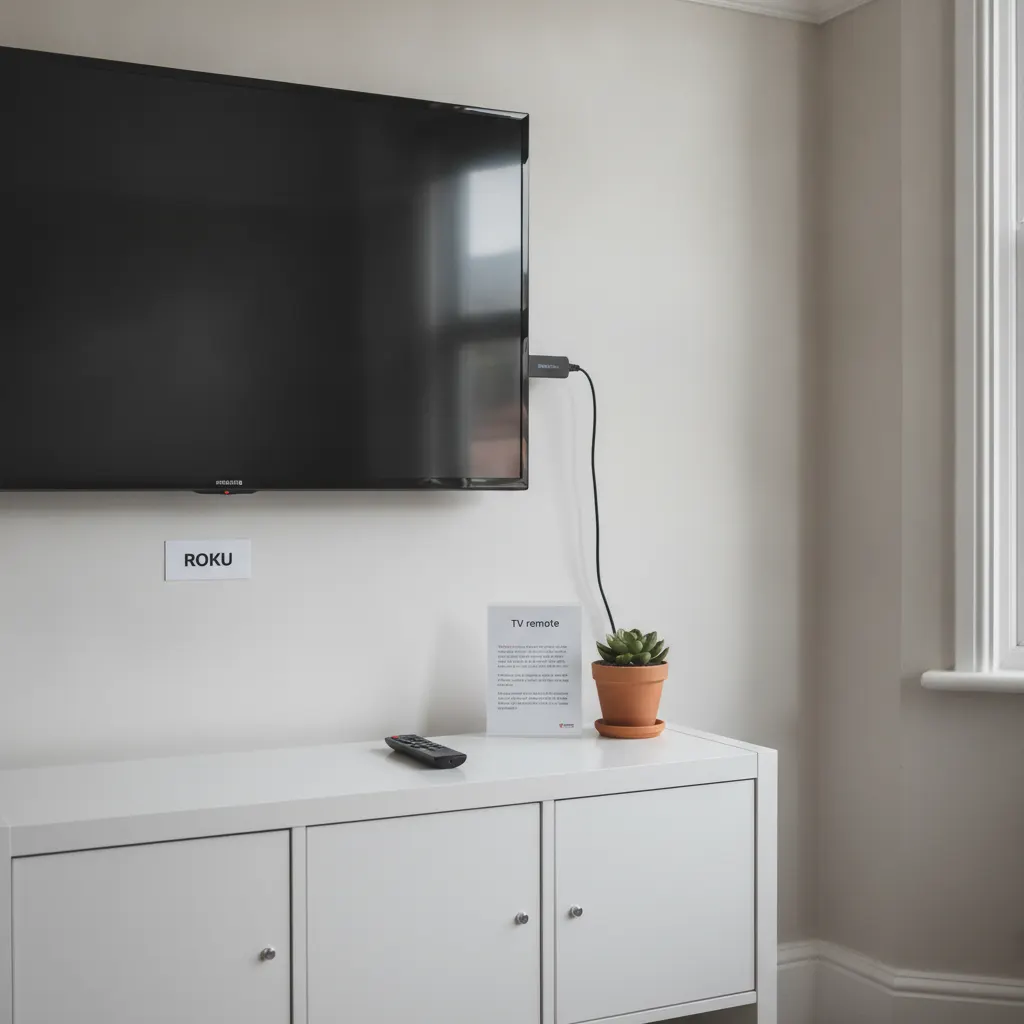
A guest left a three-star review for the Edinburgh flat a couple of years ago. The specific feedback: "Couldn't figure out the TV, eventually gave up." The TV was a 2019 Samsung smart TV with a fire stick plugged in. There were laminated instructions on the wall. The instructions were, in retrospect, six steps too long and written by me at 11pm when I was tired and thought I understood how a guest would use the TV.
I've overhauled the TV setup twice since then. Here's where I've landed, across five properties, after a few more complaints and one more setup that didn't quite work.
What guests actually complain about
Before I get into the hardware: TV complaints are almost never about picture quality, screen size, or resolution. In five years of hosting, I've had one comment about the TV being "a bit small" (it was a 40-inch in a large living room — fair). I've had zero complaints about 4K vs HD. What I've had complaints about:
Can't find the right input source. Smart TV defaulting to its own home screen on startup rather than the streaming app. Netflix login not working, or a previous guest's login still showing. Can't find the BBC iPlayer app. Remote control with dead batteries. Instructions either too complicated or not there at all. Bluetooth speaker or soundbar "paired to something else" and producing no sound.
It's all friction. Guests aren't failing to enjoy the TV because of anything to do with the TV itself — they're failing because the setup creates small obstacles that feel annoying at 9pm when you've just had dinner and you want to watch something.
Smart TV built-in apps: more trouble than they're worth
For a personal-use TV, the built-in smart platform is fine. For a rental property, it creates specific problems.
The biggest: auto-updates. Samsung Tizen, LG webOS, and Sony Google TV all receive automatic software updates that can rearrange the home screen, change how apps launch, or alter the remote control layout. If a guest used the TV three months ago and is back for a repeat stay, or if your instructions refer to an interface that's since been updated, you get complaints. I've had guests unable to find the Netflix button on a Samsung remote after a firmware update changed the layout.
The second problem: account management. If you allow guests to log in to their Netflix or Prime Video on the built-in smart TV, you need a process for logging them out before the next guest arrives. Cleaning teams shouldn't be expected to navigate streaming account settings. Previous guests' accounts sometimes stay logged in, showing their watch history and personal recommendations — which is weird for the next guest and a mild privacy issue for the previous one.
The Fire Stick: better but not perfect
An Amazon Fire Stick addresses the update-and-layout problem — you control what's installed and the interface is consistent — but it introduces its own issue: the default setup assumes guests will log in to their Amazon account to access Prime Video, and may prompt them to set up their own account for a personalised experience. That's fine if guests know what they're doing with a Fire Stick. Not all guests do, particularly older travellers or international visitors unfamiliar with the device.
I used Fire Sticks in Brighton and the Lake District for about a year. The main feedback: occasional confusion about which remote controls what (the Fire Stick remote vs the TV remote) and intermittent WiFi drops that would cause the stick to load slowly. Not dealbreakers, but friction points.
The Roku setup I've landed on
I switched to Roku Express sticks in the Brighton flat and the Edinburgh flat eighteen months ago. Roku's interface is simpler than the Fire Stick — it's essentially a grid of app tiles — and the remote is straightforward. More importantly, Roku has no pressure to log in to an Amazon account or sign up for Roku's own services. You can set it up with no Roku account visible to guests at all, with the apps you want already installed and a guest-facing home screen that just shows the apps.
What I have installed on each Roku: BBC iPlayer, ITVX, Channel 4, My5, YouTube. That covers all the free UK catch-up TV. I don't have Netflix or Prime Video installed — I removed them.
This is deliberate. If guests want Netflix, they can add it during their stay and log in. I've found that trying to maintain a "house Netflix account" for guests to share creates constant problems: password changes, other guests logging them out, the account hitting its device limit. Not worth it. Guests are used to Netflix being their own personal subscription — framing it that way in the listing is more honest and creates less friction than a shared account that doesn't quite work.
Most guests either don't mention Netflix at all (they watch BBC iPlayer and YouTube, which together cover most of what people actually want in a short stay), or they add their own account with no trouble. In eighteen months of the Roku setup, I've had exactly one TV complaint — a guest who didn't realise they could add Netflix themselves and assumed it wasn't available.
Instructions: what works
Short. Laminated. Directly next to the TV. That's the whole brief.
My current TV card is A6 size (half of A4), laminated, propped against the TV base or stuck with a small adhesive strip on the wall beside the screen. It says:
TV remote: the grey Roku remote controls the TV. Press the home button (house icon) to go back to the main menu. BBC iPlayer, ITVX, Channel 4, YouTube are on the home screen. To add Netflix or Amazon Prime: press the star button on the remote and add your account. Batteries spare in the kitchen drawer.
That's it. It's sixty words. I spent forty minutes writing a two-page TV guide for the Edinburgh flat that nobody read. The sixty-word card on the wall gets read because it's there, it's short, and guests can see exactly what they need within ten seconds of picking up the remote.
Input sources and HDMI labels
One thing that trips guests up consistently: the TV is on the wrong HDMI input when they try to start it, so they see "No Signal" instead of the Roku. Small thing, fixable in two ways: set the Roku to be the TV's default power-on source if your TV supports it (most do), or label the HDMI port on the back of the TV with a small sticker saying "Roku." Cleaning teams can ensure it's set to the right input after each stay — takes three seconds if it's on the laminated checkout card.
On 4K and big screens
I'll be direct: in an STR context, 4K resolution provides almost no value. Most guests are watching Netflix at whatever bitrate their account tier allows, or BBC iPlayer in 1080p. The difference between a 4K screen and a 1080p screen at normal viewing distance in a holiday let living room is not something guests notice or review. If you have a 4K TV already, fine. If you're buying new, a 43 or 50-inch 1080p smart TV with a Roku stick plugged in is exactly what the property needs and costs less than a 4K equivalent.
Remote controls: always have spares
Roku remotes use two AA batteries. I keep spare batteries in a kitchen drawer and there's a note on the TV card saying they're there. I've had two instances in five years of a guest messaging to say the TV remote wasn't working — both times it was dead batteries. A spare set in a labelled drawer costs 60p and saves a message at 9pm.
Soundbars and Bluetooth speakers
I have a Bluetooth speaker in the Edinburgh flat and have had occasional "speaker won't connect" or "speaker is paired to something else" messages. My solution: switched the speaker to NFC pairing where possible, and added "press and hold the Bluetooth button to re-pair your device" to the house guide. Still occasionally gets a complaint. If I were setting up a new property, I'd use a wired soundbar connected directly to the TV via optical cable rather than Bluetooth. Wired connections don't have pairing issues.
Ready to streamline your inventory?
Start managing your rental inventory smarter with automated stock tracking.
Start Free Trial